

Zero config
Add a single preload line to your Bun or Vitest config. Every test run is silently recorded — test names, durations, error messages, and stack traces — with zero changes to your test code.
Zero config
Add a single preload line to your Bun or Vitest config. Every test run is silently recorded — test names, durations, error messages, and stack traces — with zero changes to your test code.
Any backend
SQLite for local development, Turso or Supabase for shared team visibility, Postgres for existing infrastructure. All backends share the same interface — swap with an environment variable.
Detect patterns
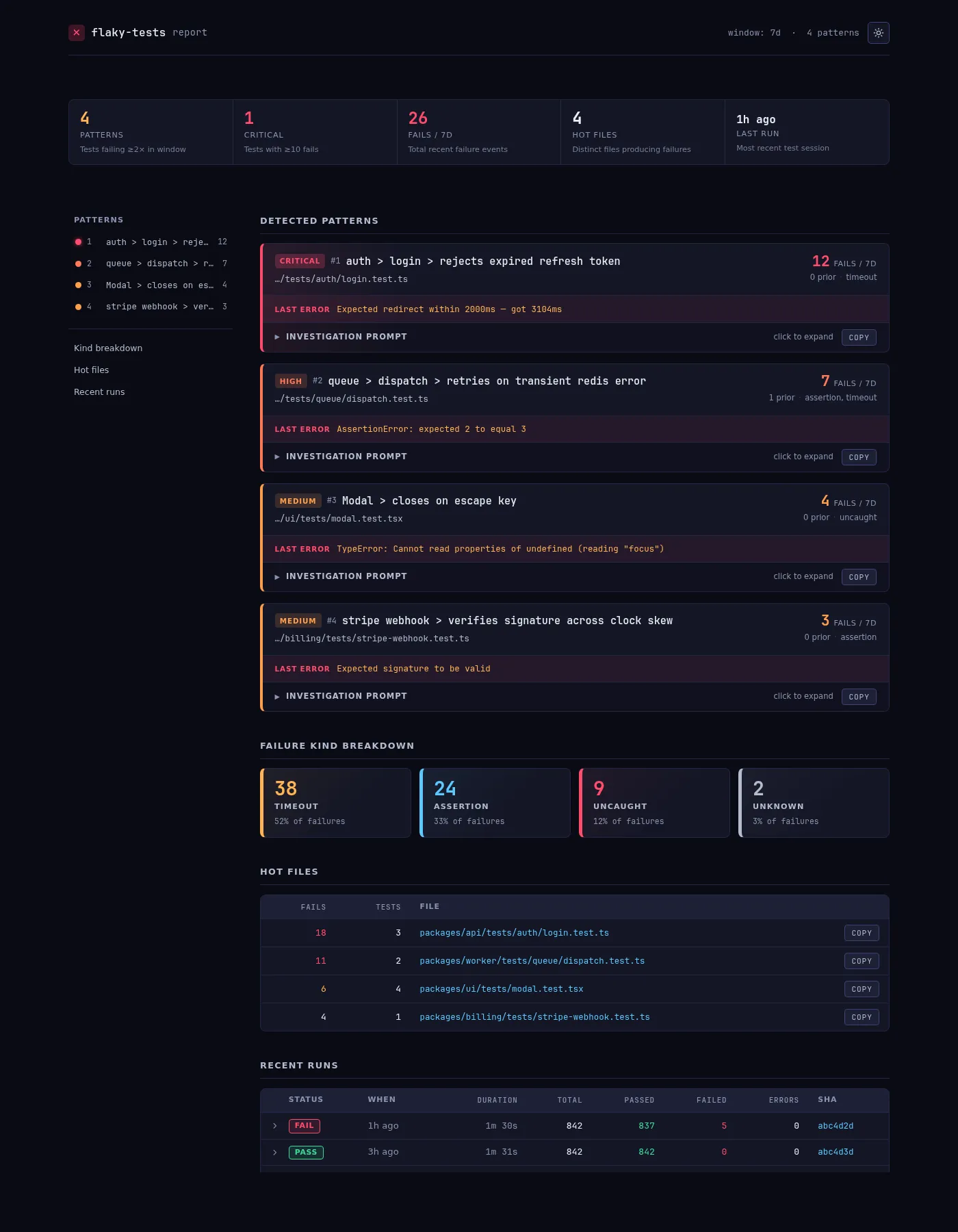
The CLI compares failure rates across sliding time windows (default: 7 days) and flags tests that recently crossed a flakiness threshold. Failures are categorized as assertion errors, timeouts, or uncaught exceptions.
Close the loop
Generate AI-ready investigation prompts with full context, copy them to your clipboard, open GitHub issues automatically (with duplicate detection), or export an HTML report.
Install a plugin — add @flaky-tests/plugin-bun or @flaky-tests/plugin-vitest as a preload. It hooks into your test runner and records every run to a local or remote database.
Run your tests as usual — the plugin captures pass/fail results, error categories (assertion, timeout, uncaught), stack traces, git SHA, and timing data. No test code changes needed.
Detect flakiness — run bunx @flaky-tests/core (or npx) to analyze recorded results. It compares the current time window against the prior window and surfaces tests that are newly failing intermittently.
Take action — use --prompt to generate an investigation prompt you can paste into an AI assistant, --create-issue to open a GitHub issue for each flaky pattern, or --html to generate a visual report.